
Project Overview
Background
In today’s modern banking landscape, customers expect convenient and efficient methods to deposit checks into their accounts. Two primary channels for check deposits are through traditional bank branches and Automated Teller Machines (ATMs).
The check deposit process should ensure accuracy, security, and ease of use for customers while minimizing processing time and errors
Problem
The problem is to design and implement an optimized check deposit process for both bank branches and ATMs that enhances customer experience, reduces operational costs, and maintains the highest standards of security and accuracy.
Solution
In today’s digital era, customers seek convenient and secure ways to manage their banking transactions, including check deposits. Mobile apps have become a popular channel for financial interactions, allowing users to capture checks using their smartphones and deposit them into their accounts remotely.
Get to know KeyBank
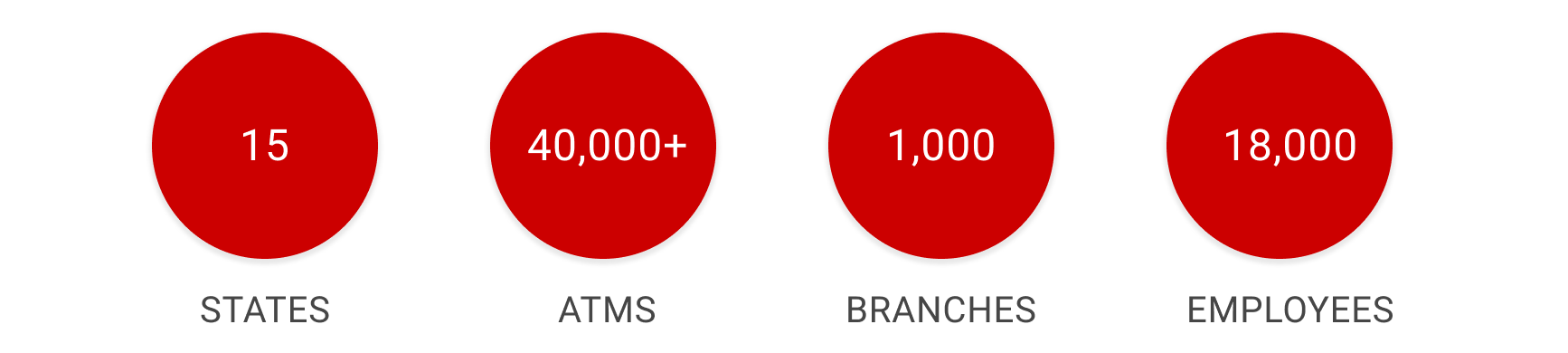
KeyBank is one of the nation’s largest, bank-based financial services companies. Below the data can help to identify base key business geographic .
My Process
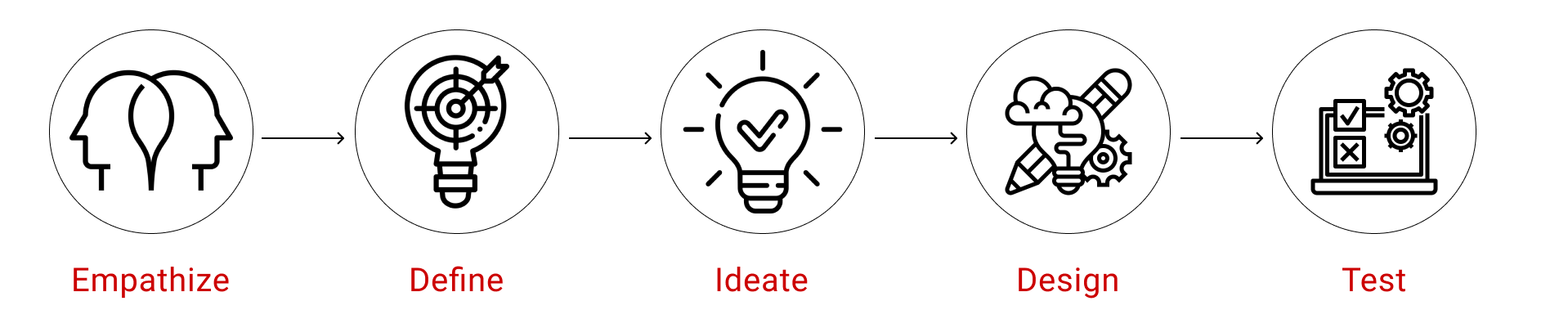
Empathize
- Understand
- User Research
- Secondary Research
Define
- Job Story
- Job to be done
- Pain point
Ideate
- IA
- User Flow
- Sketching
- Card Sorting
Design
- Wireframe
- Style Guide
- UI Design
- Animation
Test
- Usability Testing
- Feedbacks
User Interview
Conduct interviews with existing banking app users to gather insights into their experiences with the check deposit feature. Key areas to explore include:
- Frequency of check deposits.
- Motivations for using the feature.
- Challenges faced during the deposit process.
- Perceptions of security and trustworthiness.
Below the date provided as per the user research with Internal user data, call center data, key business account users, personal users and combined users.
Geographic
Customers Use Of KMB App Features With RDC
Personal Users - RDC Needs
Business and Combined Users - RDC Needs
User Needs and Pain Points
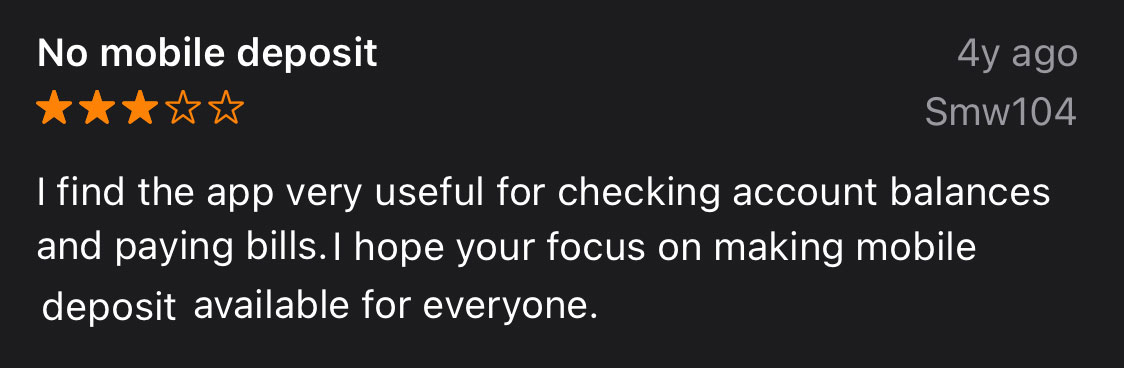
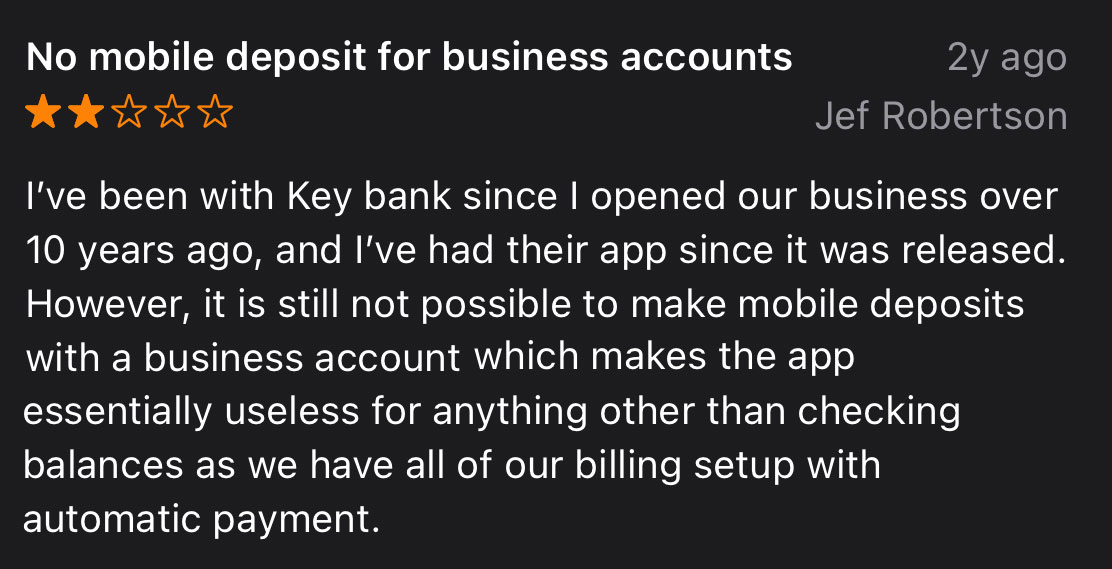
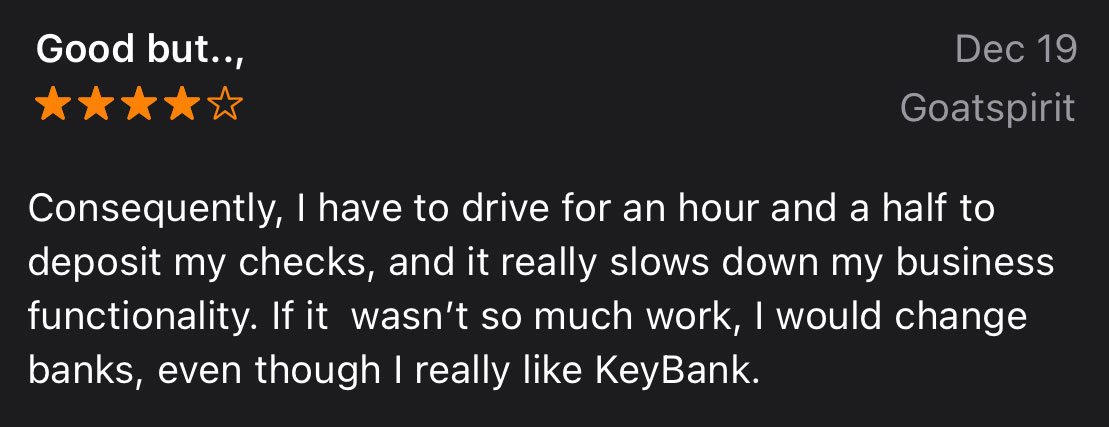
- Convenience and Accessibility: Users may find it inconvenient to visit a physical bank branch or ATM to check their deposit status, especially if the location is far from their home or workplace.
- Time Consumption: Visiting a bank branch or ATM takes time out of a user’s schedule. They might need to wait in line, which can be time-consuming, particularly during peak hours.
- Limited Operating Hours: Both ATMs and bank branches have operating hours, and if a user needs to check their deposit outside of these hours, they might need to wait until the next business day.
- Technology Issues: ATMs might not always function properly or might run out of cash, leading to frustration for users attempting to check their deposits.
- Security Concerns: Users might worry about the security of using ATMs, especially if the ATM is in an isolated or dimly lit area. Similarly, sharing sensitive information at a bank branch might lead to concerns about privacy.
- Lack of Information: Sometimes, the information provided on ATM screens or by bank staff might not be detailed enough, leading to confusion or uncertainty about the deposit status.
- Documentation and Proof: Users might require physical proof or documentation of their deposit for personal or business purposes, and retrieving this proof from an ATM or bank branch can be cumbersome.
- Transaction Delays: Occasionally, deposits might not show up immediately in the user’s account, leading to confusion or anxiety about the delay.
- Customer Service Quality: Users might encounter inconsistent or unhelpful customer service at bank branches, where staff might not be able to provide accurate information or assistance regarding their deposit status.
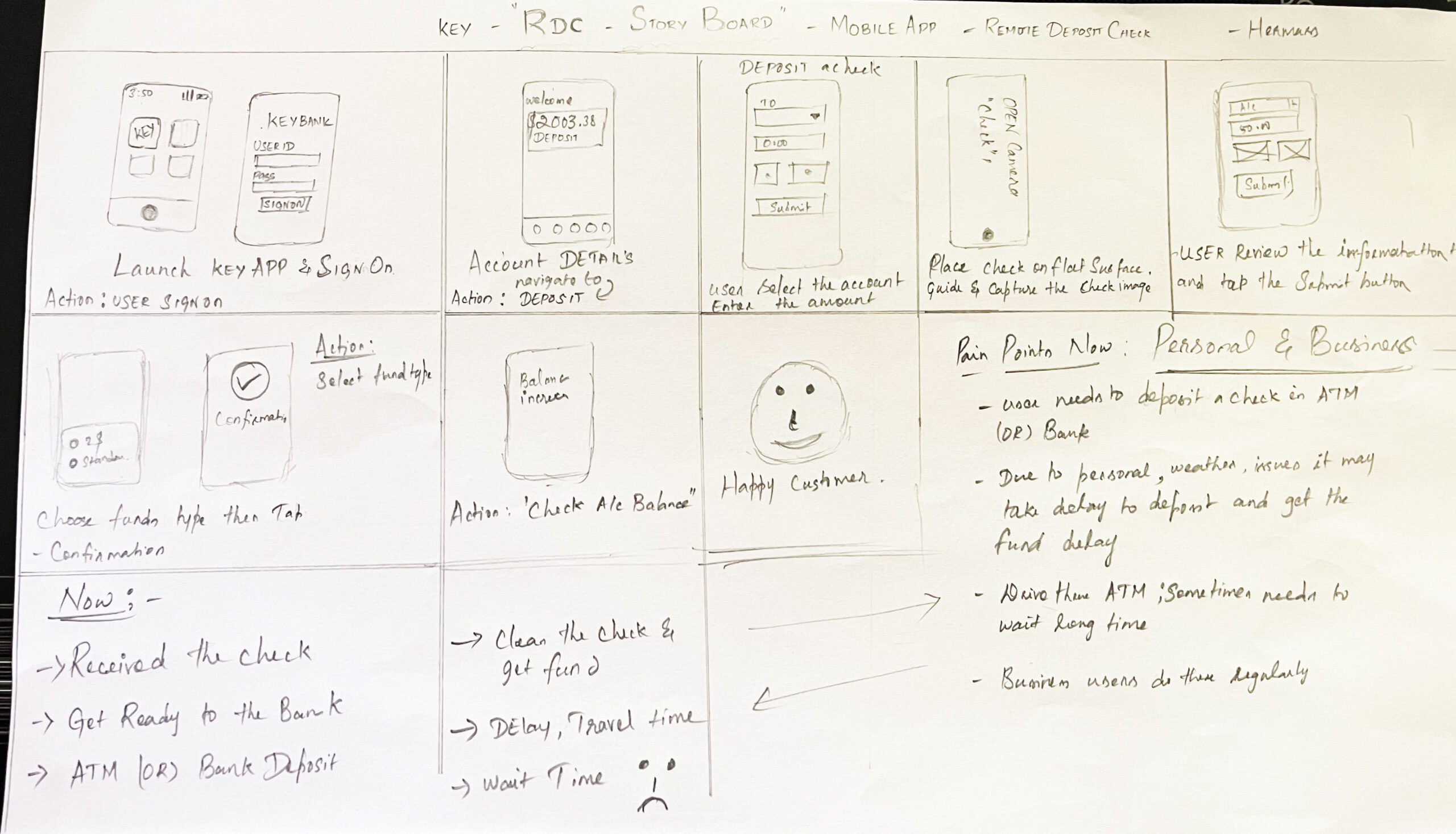
Story Board
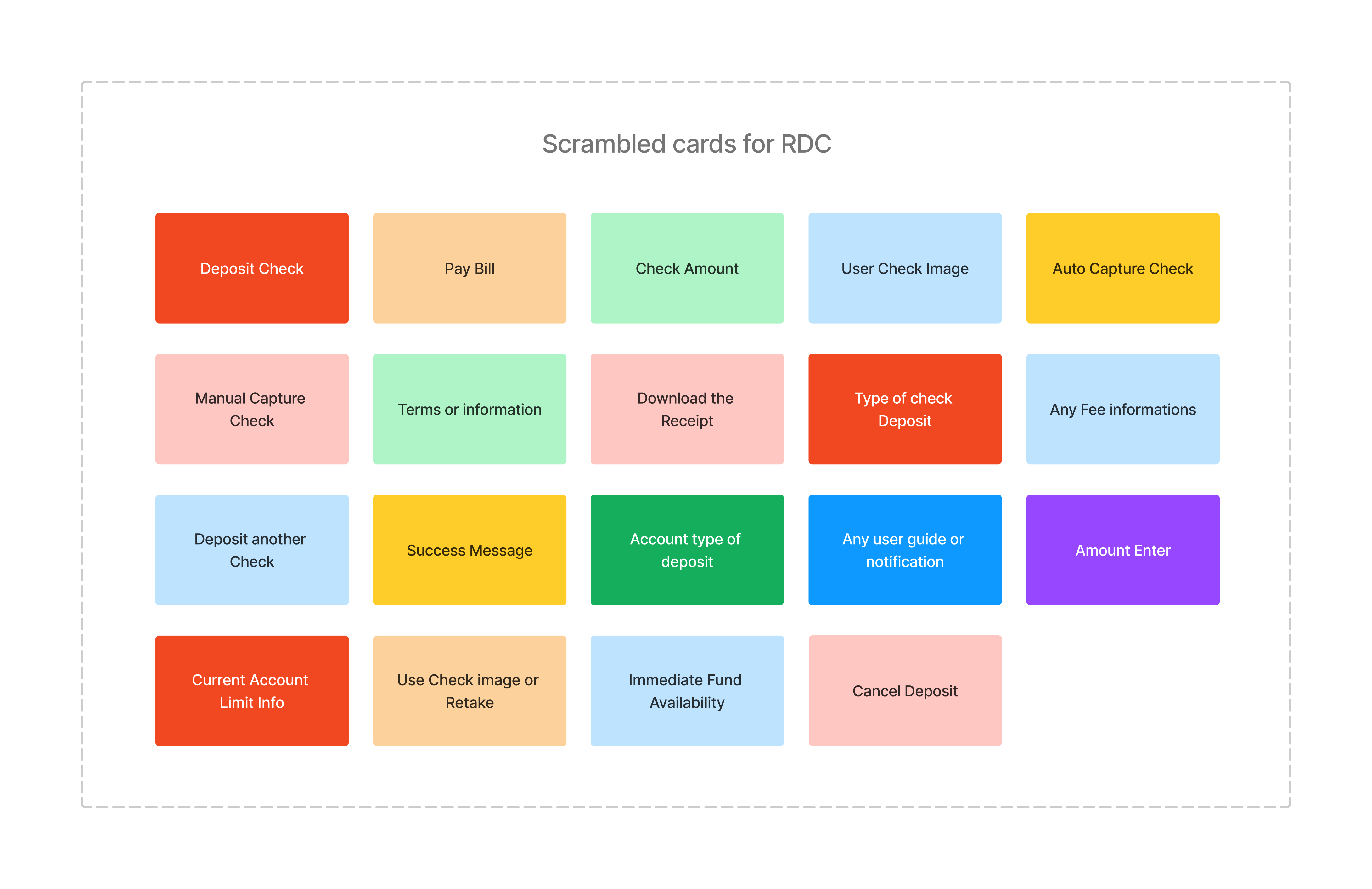
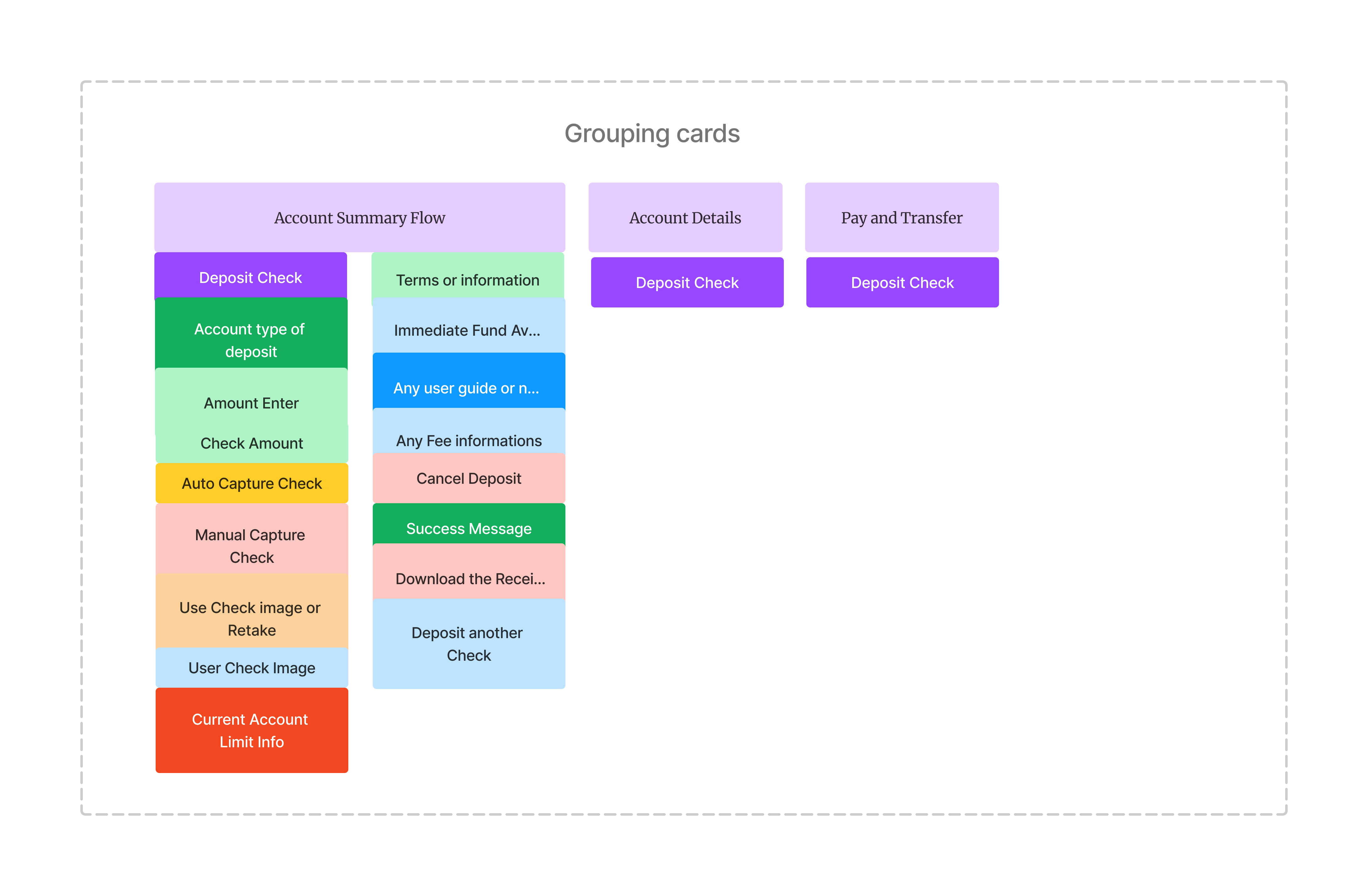
Digital Card Sorting
In Card Shorting I can identify the various steps or elements involved in depositing a check. This can provide insights into the most intuitive and user-friendly way to organize the screens, and interactions.
User Flow
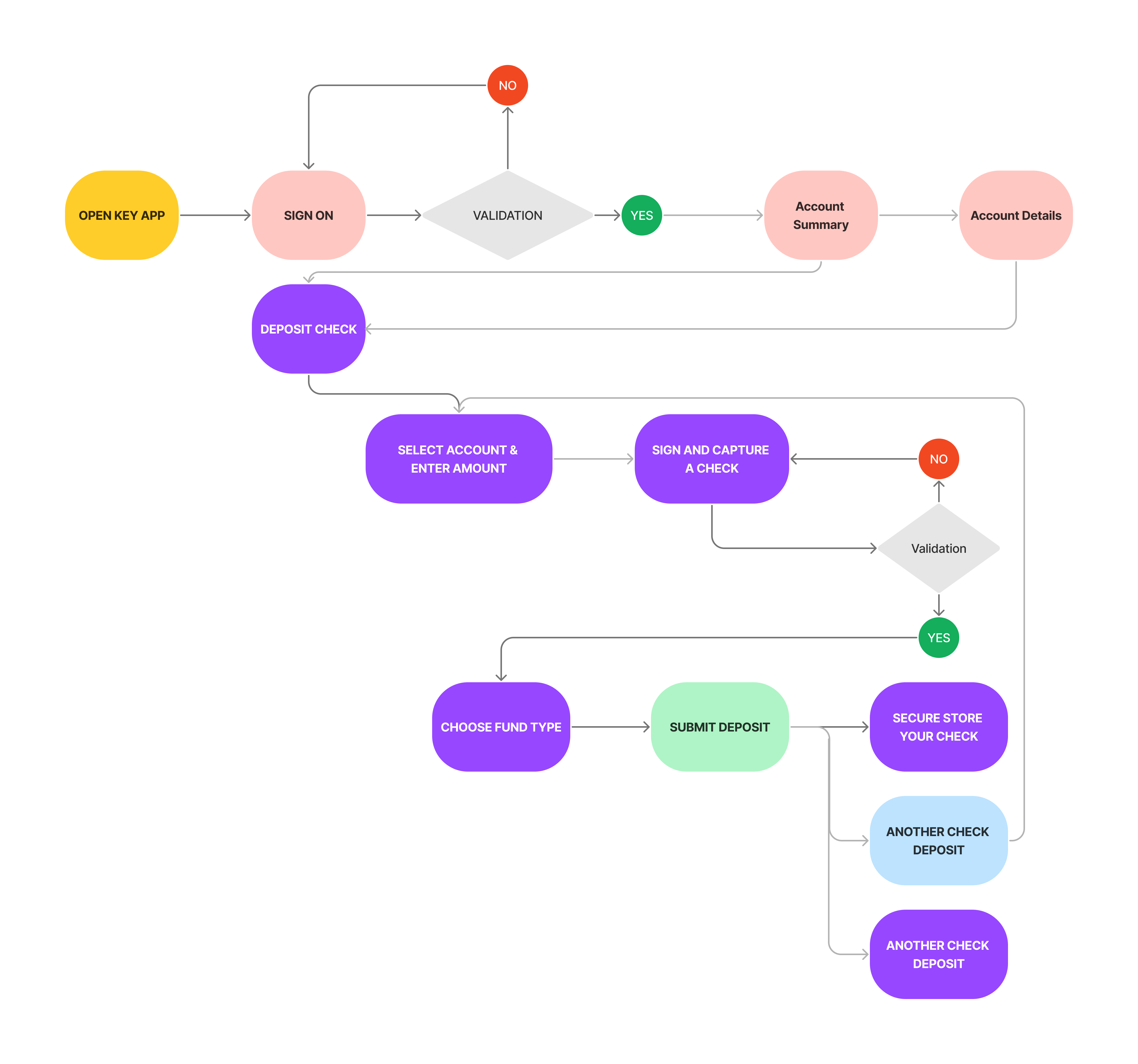
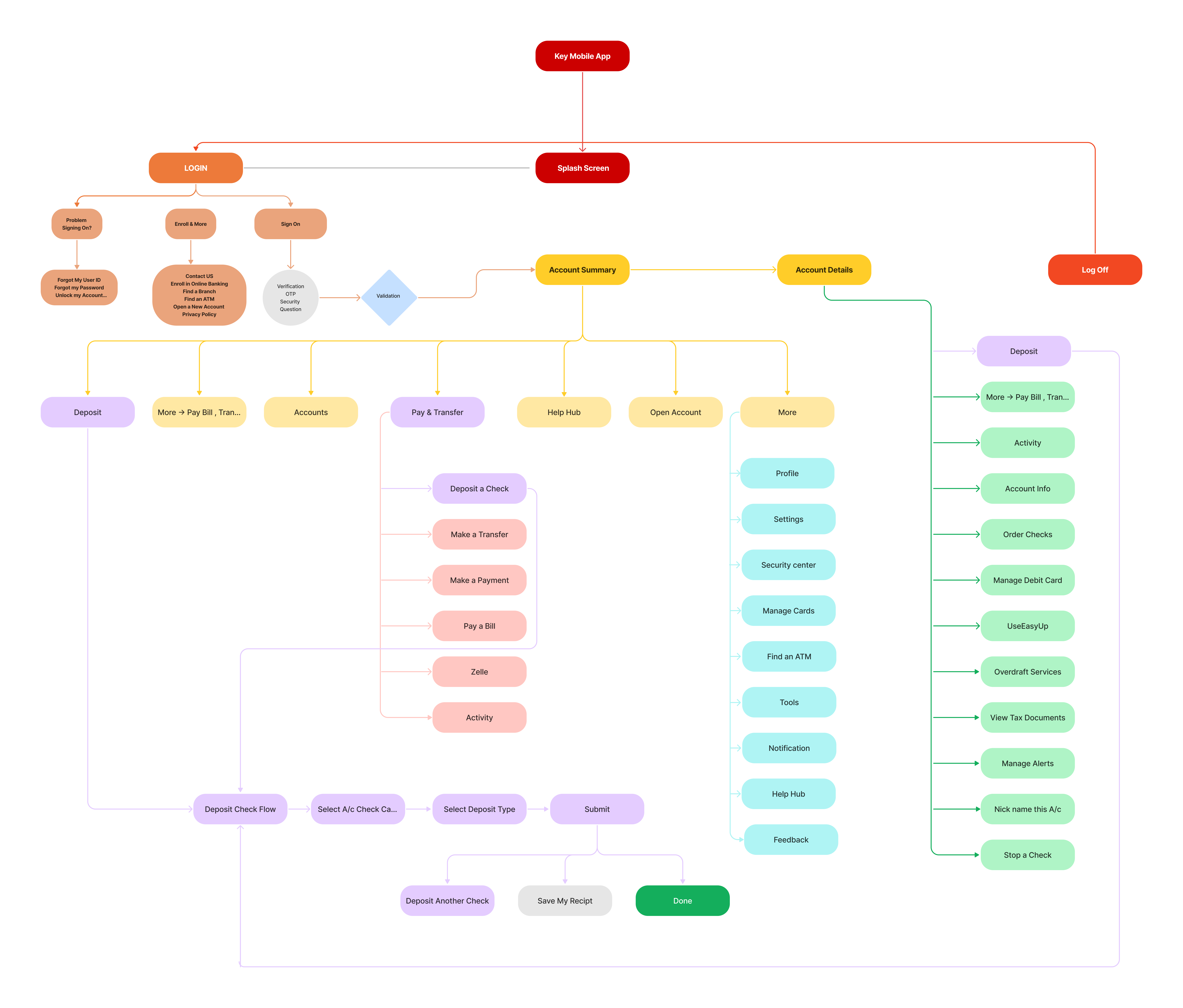
This user flows to visualize how users will navigate through the check deposit process.
Now I wanted to dive even deeper and get a better understanding of the overall journey Carrie would be taking throughout the app from start to finish. I wanted to better empathize with the scenario user may be in, different decisions user would be making, and also the different paths user might take to complete the key tasks I identified. To do this, I created a user flow to step into Remote Deposit Check.
Information Architecture
To start planning the Information architecture of the application and where these features would fit into it, I created an application map to organize the screens in a way that would be logical and intuitive for our user.
User Detail Story
Sign On to the Mobile App
Open or download the app. Use fingerprint recognition, facial recognition or your User ID and Password, depending on what your device supports.
Go to the account you want to receive the deposit.
Select “Deposit.”
Sign your check.
Sign the back of your check and write, “For KeyBank mobile deposit only.”
Take photos of your check.
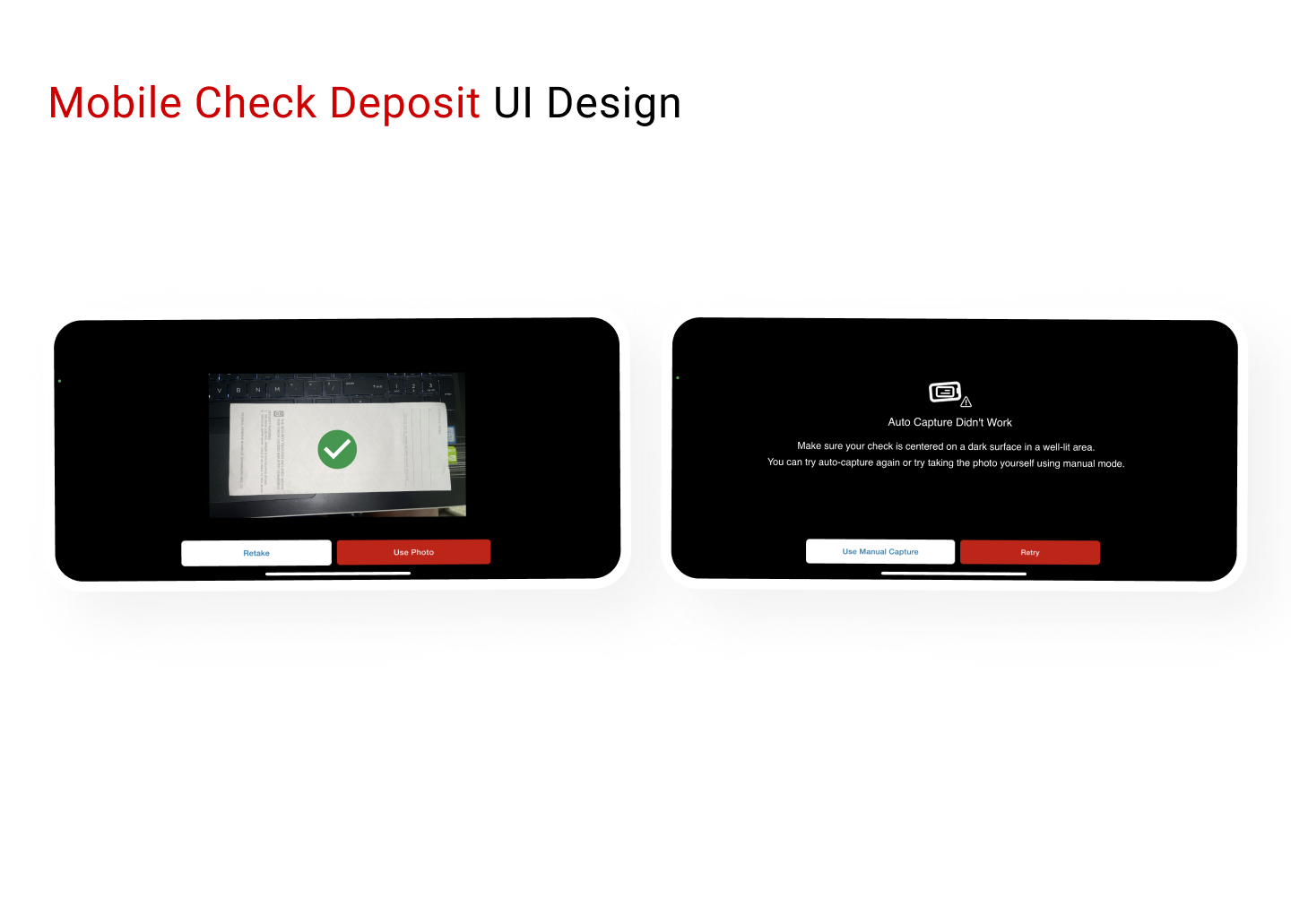
Use the Front and Back boxes to take photos of each side of your signed check. Once all four corners of the check are displayed on your screen, the app will automatically take the photos. If Auto Capture doesn’t work, you can try taking the photo yourself using manual mode.
Submit the deposit.
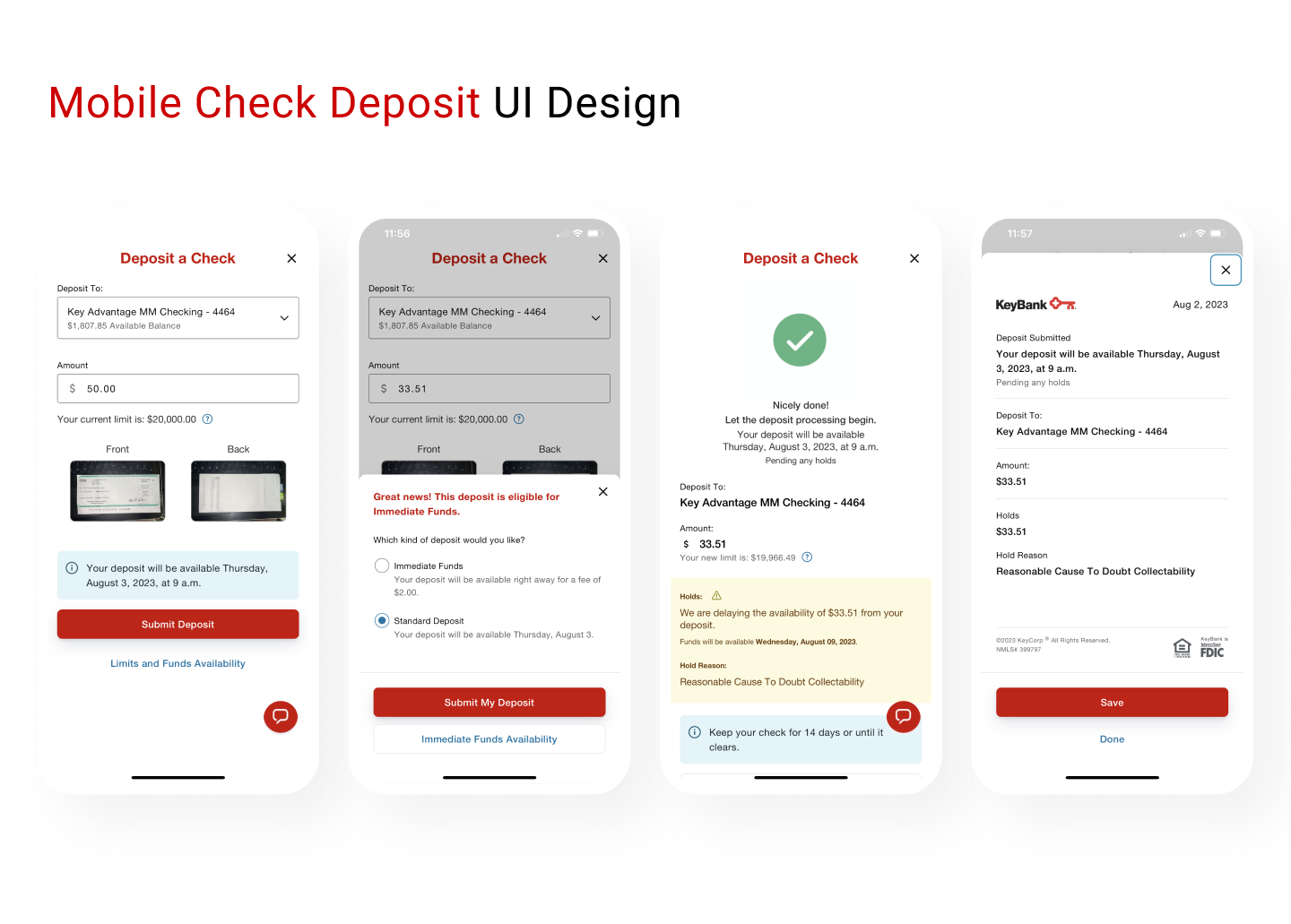
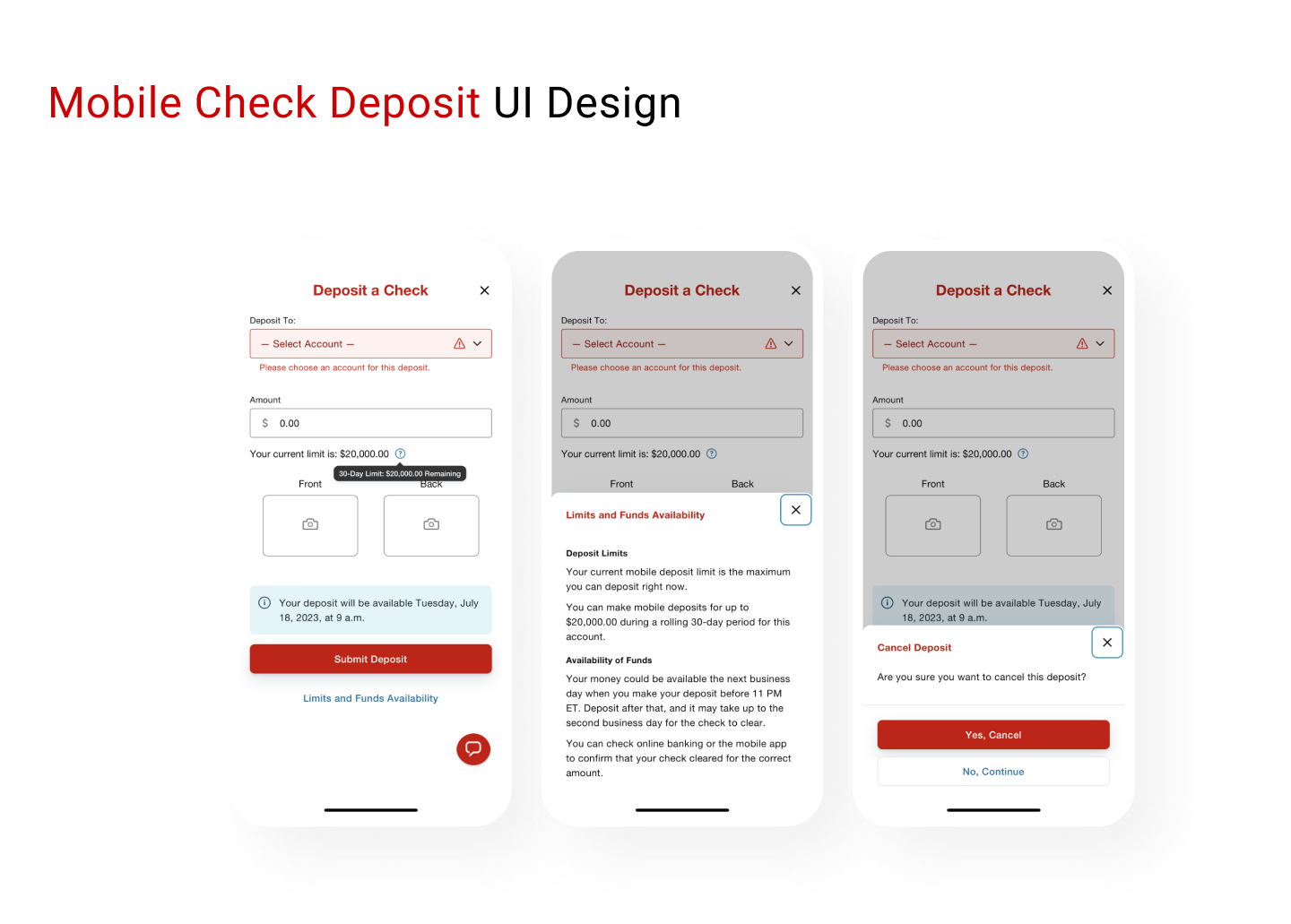
Confirm that the deposit amount you entered matches the check amount, and then select “Submit Deposit.”
Choose Immediate Funds for eligible mobile deposits or Standard Deposit.
If your mobile deposit is eligible, you will be given the option to choose Immediate Funds. We’ll show you how much the fee will be up front, so there’s no math required.
Otherwise, your money will be deposited as usual according to our standard processing times for no charge.
Securely store your check.
Hold on to your check for 14 days after you’ve made the deposit to confirm that your account has received the funds you deposited. Then, you can destroy it.
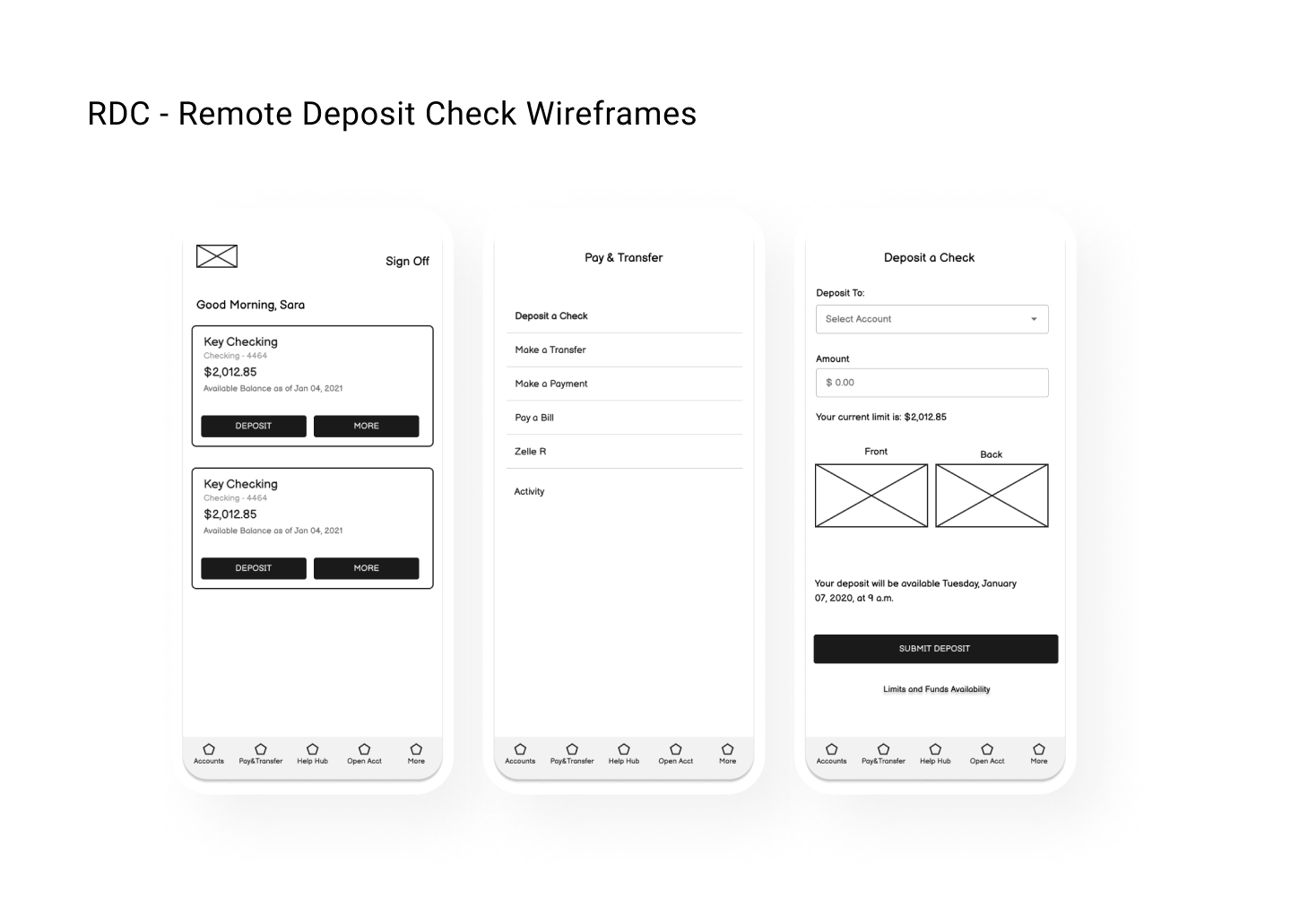
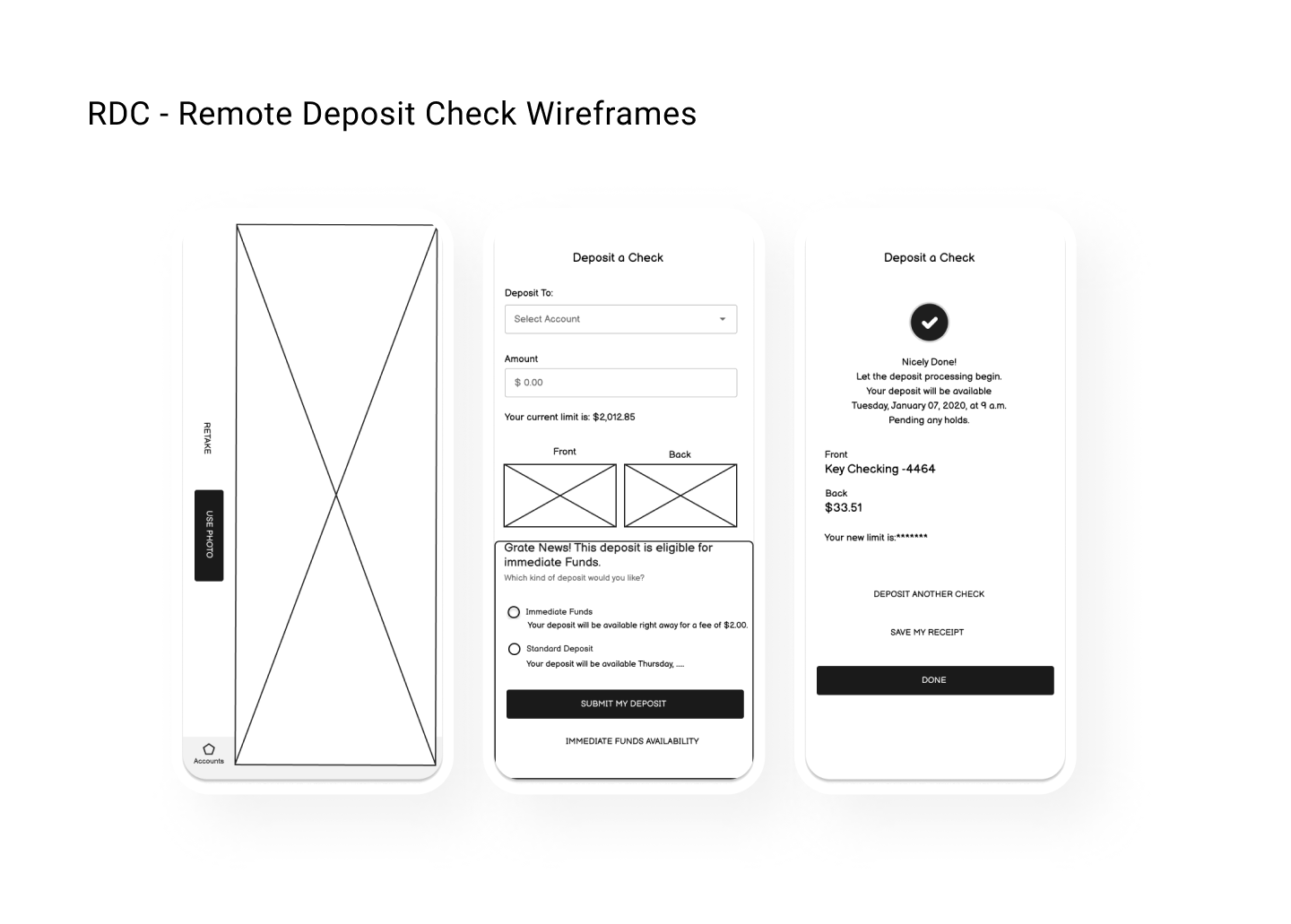
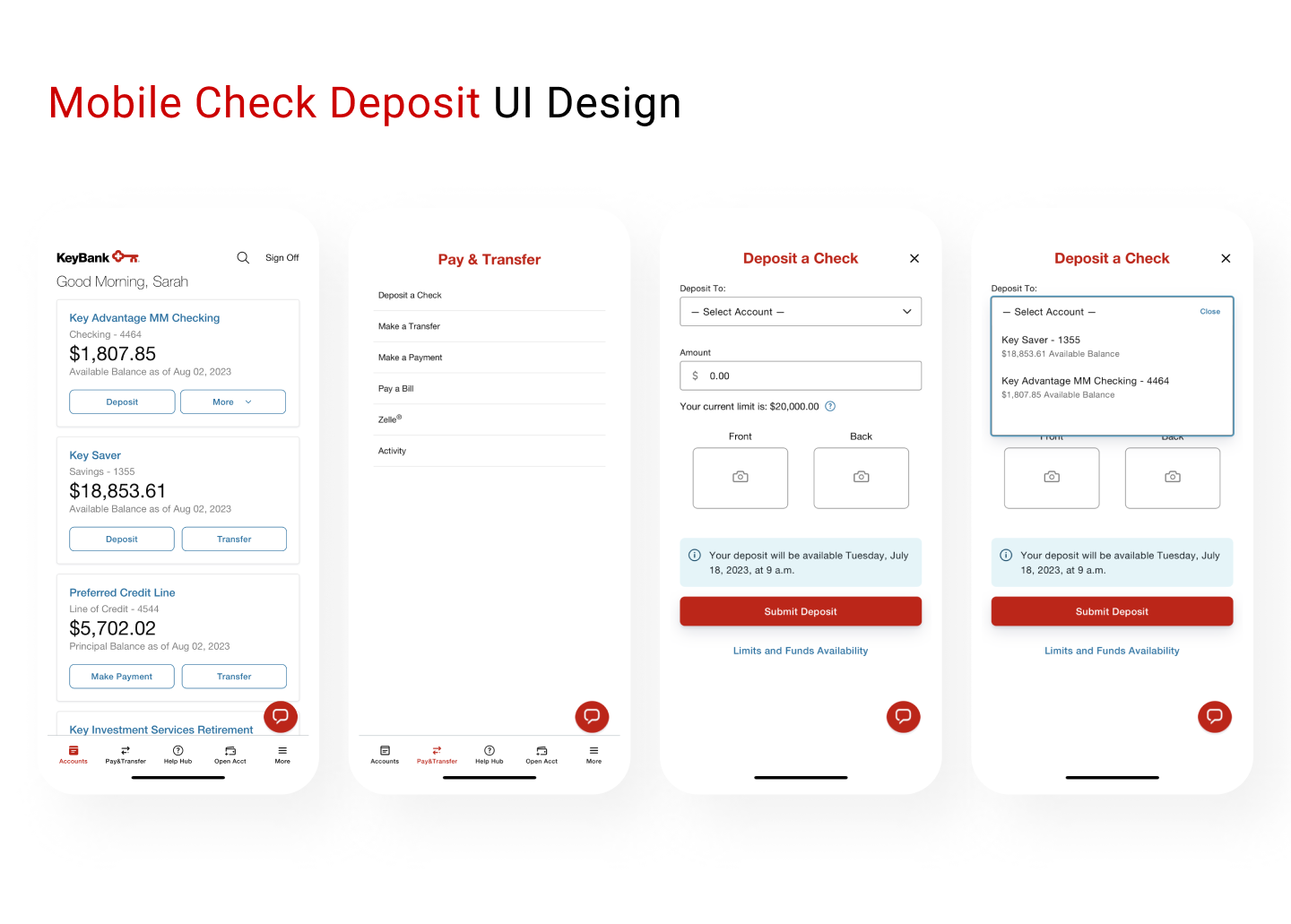
Wireframe
Conclusion
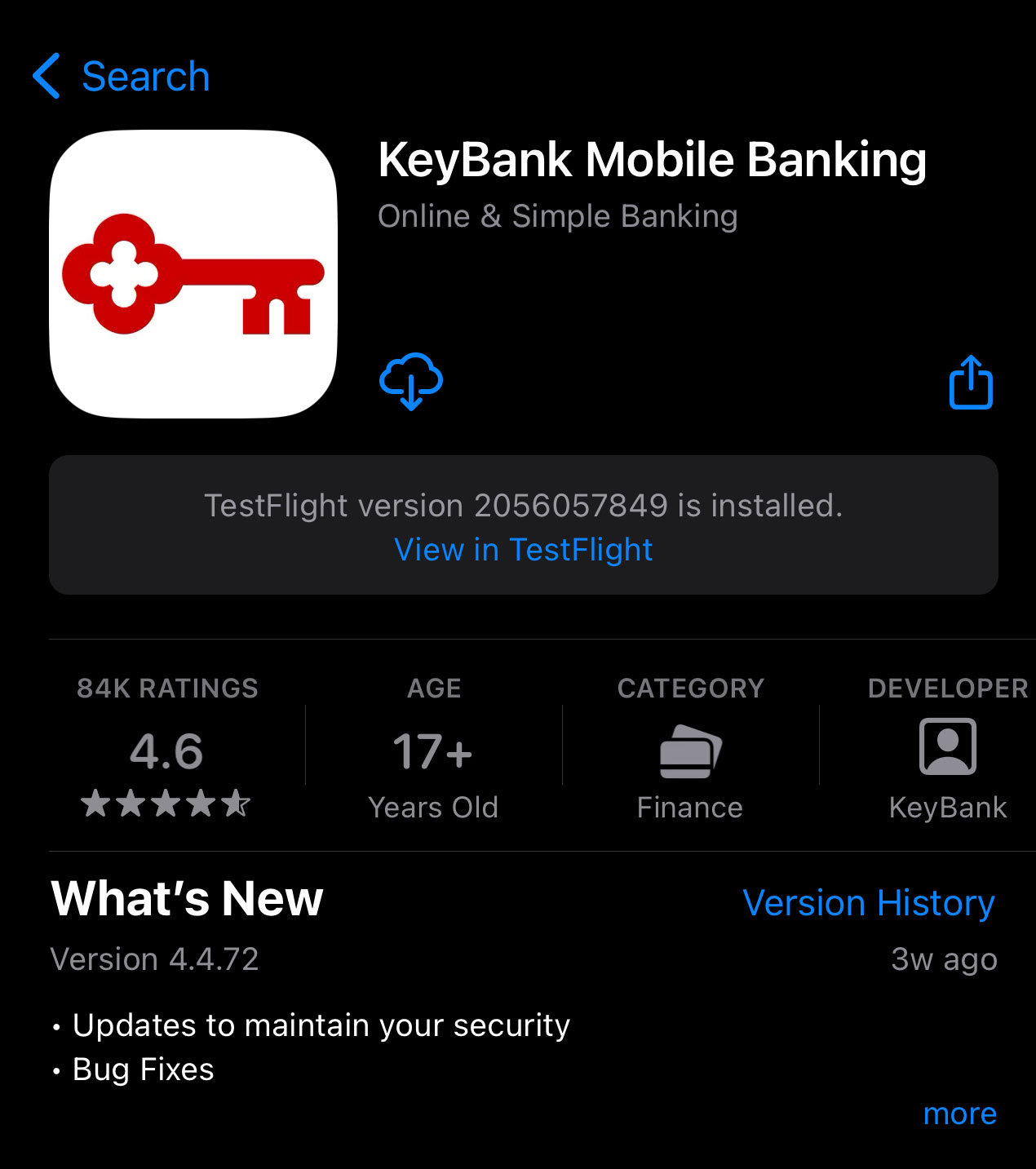
Key customers start using the RDC feature, and we get the good feed back and our KMB app rating is increased 4.6.